Message board

Community

Questions, show files, screenshots, plugin links, bug reports — this is the place. Sign in with Google, pick a username, and post. You can delete anything you wrote.

HR

Post it here

Anything with a human on the other end: how do I get this fixture patched, why is my Art-Net not arriving, here is a show file, here is a look I built, here is a plugin I wrote, is this a bug or is it me. Screenshots welcome — they usually answer the question faster than the words do.

GH

Open a GitHub issue instead

Once something is reproducible and clearly wrong — a crash, a fixture profile with the wrong channel order, a feature that does not do what the guide says — it belongs in the tracker where it can be closed by a commit. Post here first if you are not sure; someone will tell you which it is.

Open the tracker

The five chips

Where your thread goes.

Pick a category when you post and the chips above the thread list will filter to it. None of them are policed — pick the closest one and carry on.

What belongs in each.

  • General — rigs you are proud of, gear you are eyeing, what you ran last weekend, everything that is not one of the four below.
  • Help — "this is not doing what I expect." Say what you did, what happened, and what you wanted instead, and attach the screenshot.
  • Show files — a config or a stage setup you want other people to open. Say what rig it assumes and how many universes it fills.
  • Plugins — scripts you wrote or found. Post the link here for feedback; submit it to the registry when it is ready for everyone.
  • Bugs — something is broken and you can make it happen again. Include your platform and roughly what you were doing.
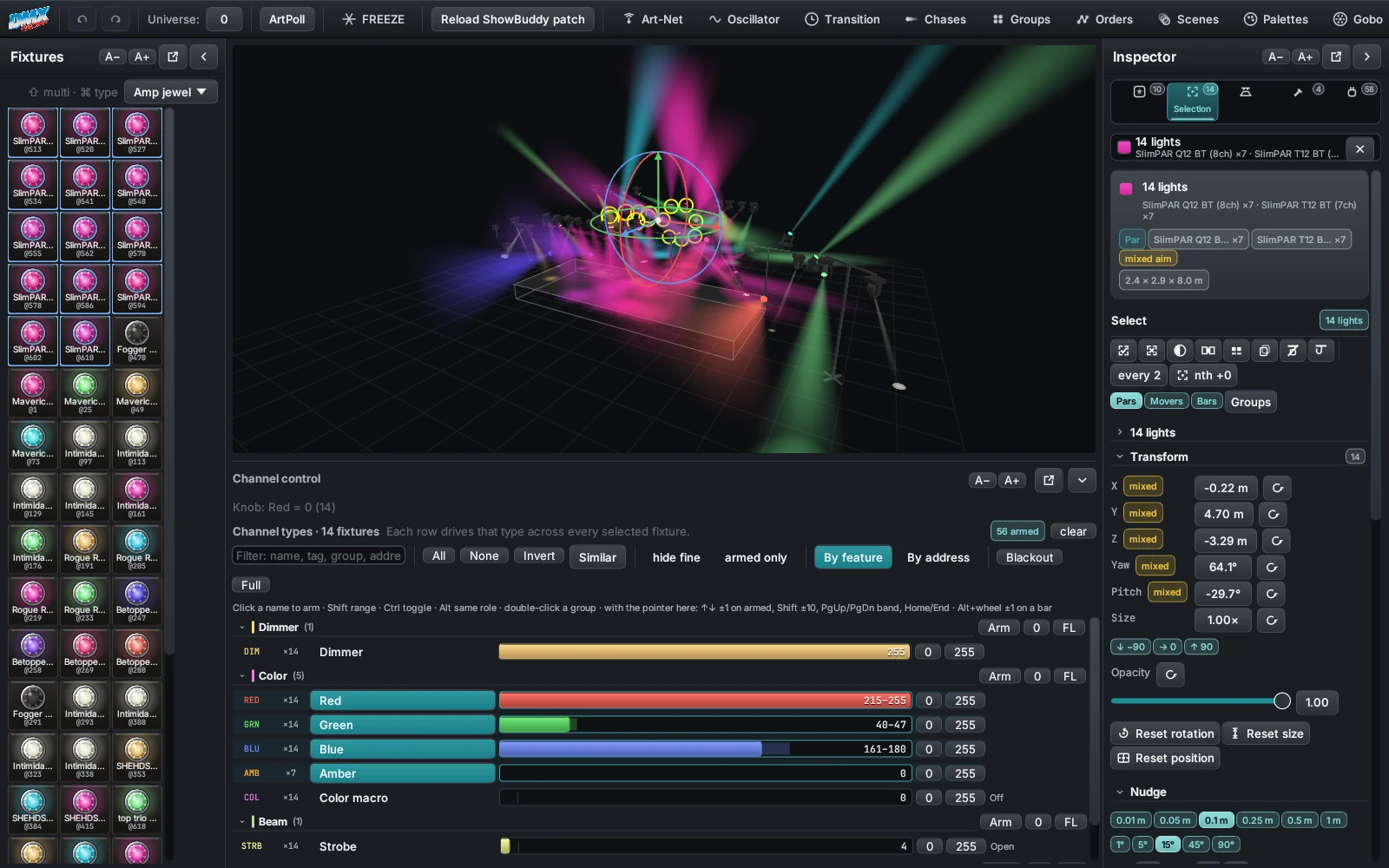
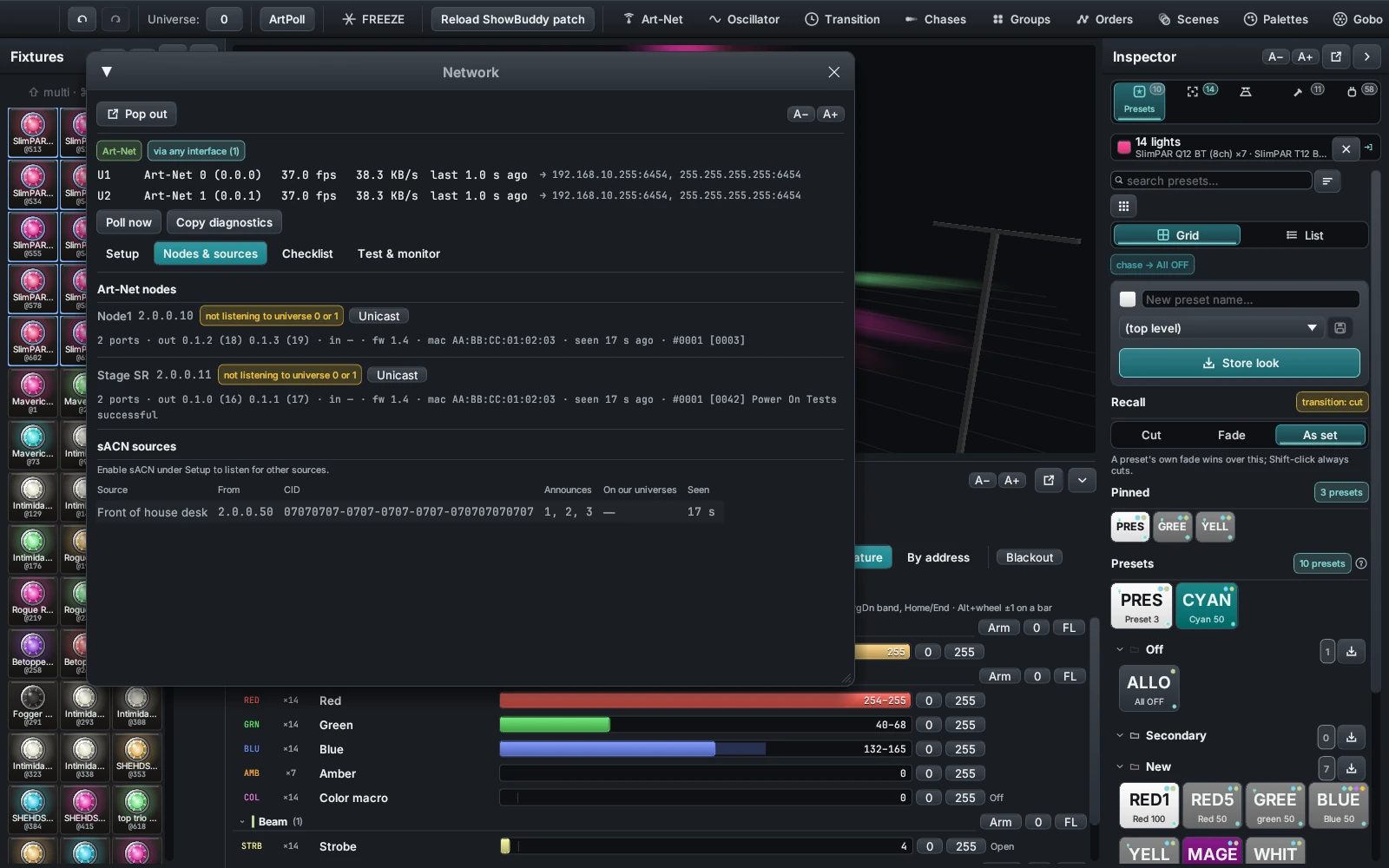
The DMXexpress console with the Fixtures panel, the lit 3D stage, the Inspector and channel control all visible in one window
A screenshot of the whole window says more than three paragraphs. Attach one.

House rules

How the board works.

Four things to know before your first post. There is no application, no moderation queue and no email list.

RD

Reading needs no account

Every thread is public. Browse, search by category, open anything, link to it. Signing in only matters when you want to write something — and a thread's link works for anyone you send it to.

ID

One username, chosen by you

Sign in with Google, then pick a handle: 3 to 24 letters, numbers, dashes or underscores. That handle is what appears on your posts. Your Google account name never does.

IMG

One screenshot per post

PNG, JPEG or WebP, up to 4 MB, on a thread or on any reply. Click the image in a post to open it full size. Crop to the part that matters — the Inspector, the channel row, the Network checklist.

DEL

You can delete your own

A delete link sits on anything you wrote. Removing a thread takes its replies with it. Nobody else can touch your posts, and nothing you delete stays behind in someone else's view.

Posts are plain text and line breaks are kept, so paste a log excerpt or a snippet of JSON straight in. Titles run to 120 characters and a post to 10,000. Threads sort by the most recent reply, so a good answer pulls an old question back to the top.
Show files

Share a rig or a whole show.

DMXexpress writes everything as human-readable JSON, so sharing a show is a matter of finding the right file and pasting it into a post.

  1. 1

    Save it first

    A complete show is saved as a config; a reusable arrangement of fixtures, truss and towers is saved as a setup. Give it a name you would recognise in a list of other people's rigs.

  2. 2

    Find the file

    Configs live under configs/ and setups under setups/, inside your show-data folder. Both are plain JSON you can open in any editor before you hand them over.

  3. 3

    Post it where it can be downloaded

    The board takes text and one image per post, not arbitrary files — put the JSON in a GitHub gist or repository and paste the link into a Show files thread.

  4. 4

    Say what it assumes

    Which fixtures it patches, how many universes it fills, whether the stage layout matters. A setup built around eight movers on a truss is useless to someone with four pars unless you say so.

Where your show data lives
# Windows
%APPDATA%\DMXpress\configs\
%APPDATA%\DMXpress\setups\

# macOS
~/Library/Application Support/DMXpress/configs/

# Linux
~/.local/share/DMXpress/configs/

Leave inspector.json out of it.

Panel preferences — which Inspector tab is open, how wide it sits, which sections are folded, what the stage draws — belong to your machine, not to your show. They are kept out of saved configurations on purpose, so a show you download never rearranges your workspace.

Worth posting

Show the rig, not just the problem.

Half the useful threads on a board like this are somebody showing what they built. These are the windows people most often screenshot.

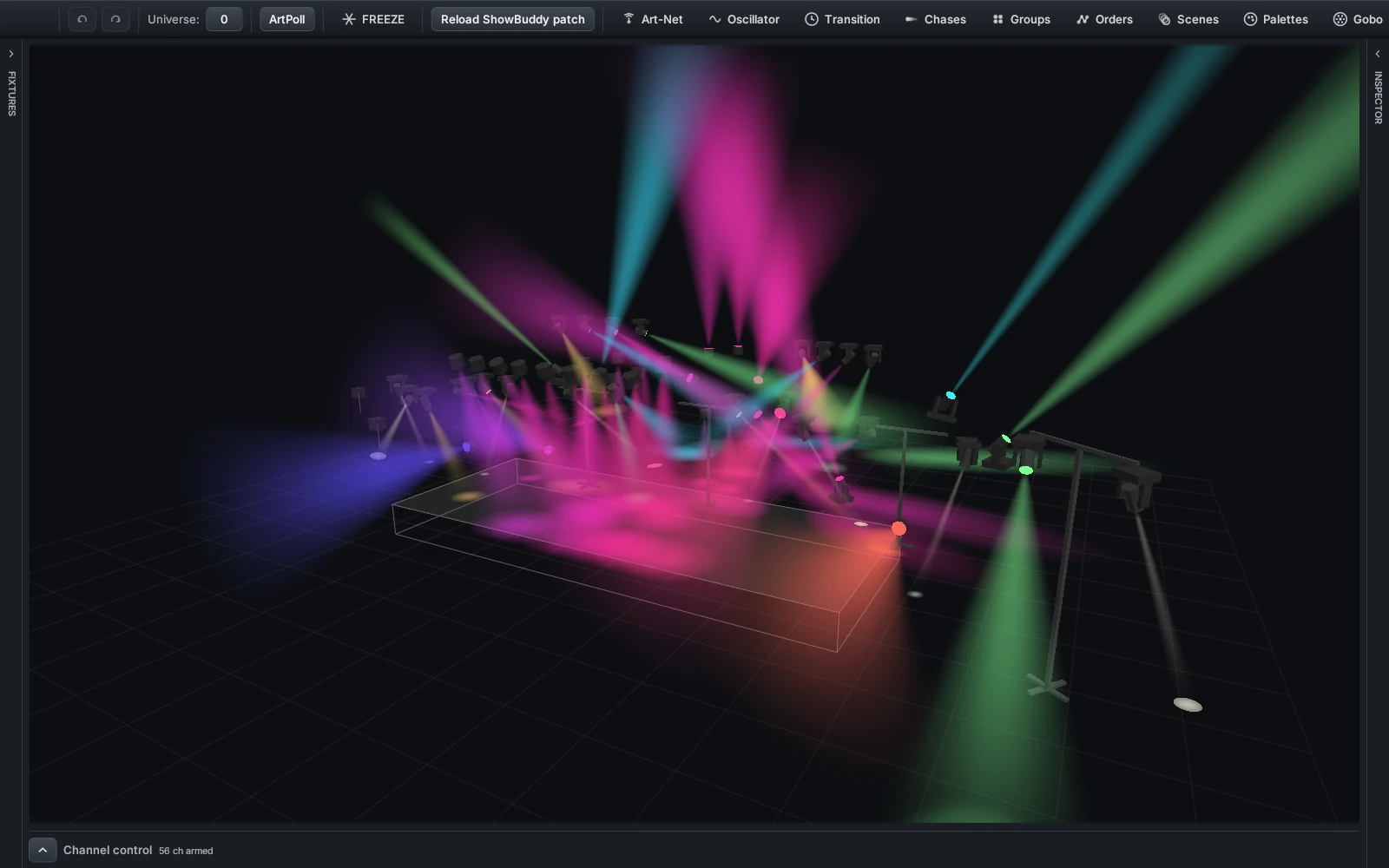
A DMXexpress 3D stage filled with movers and pars throwing coloured volumetric beams and pools of light on the floor
The stage view on its own — the shot to post when the look is the point.
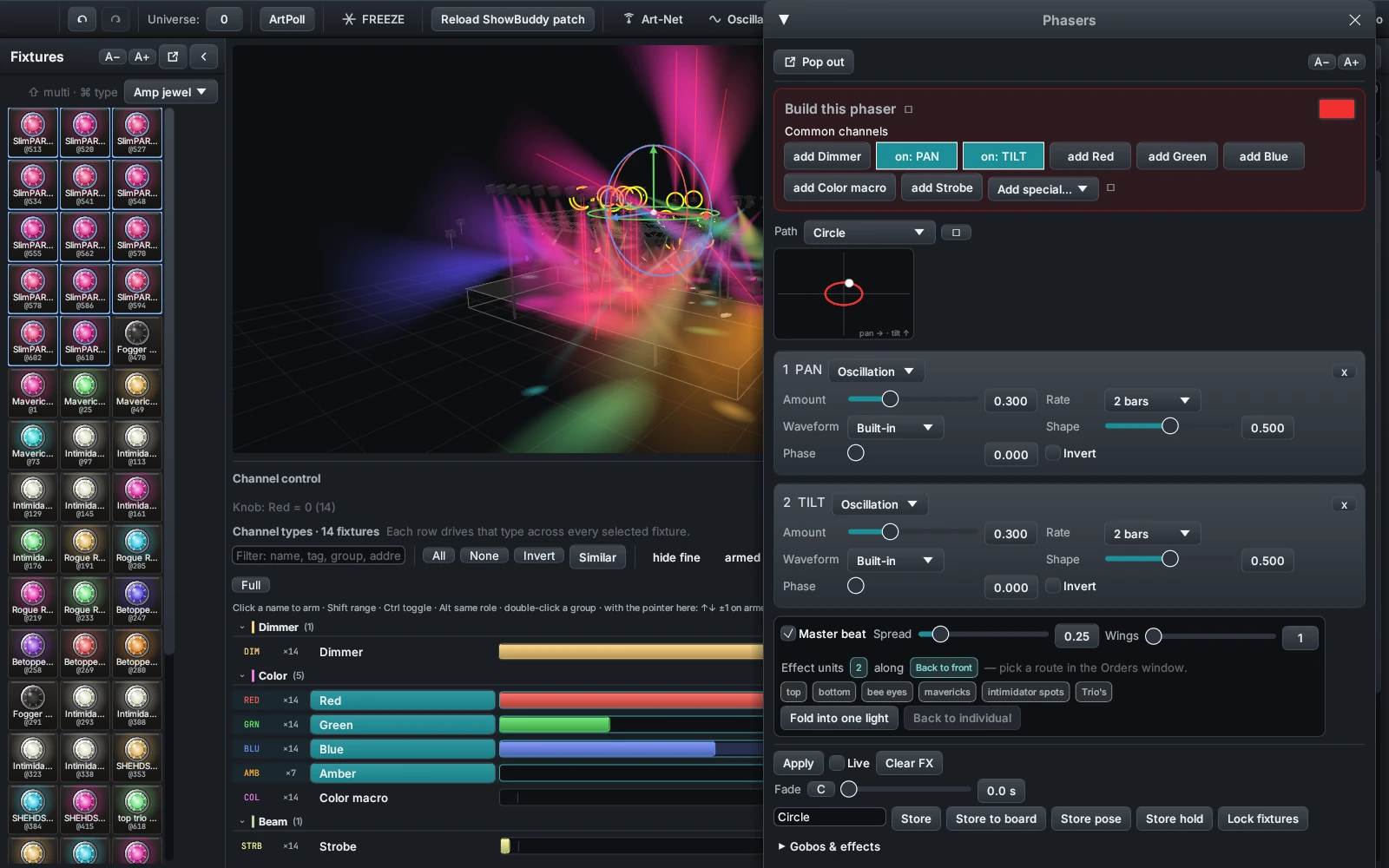
The DMXexpress Phasers window with a phaser built from components, a path shape and a live preview
A phaser you are pleased with, components and all — somebody will want to rebuild it.
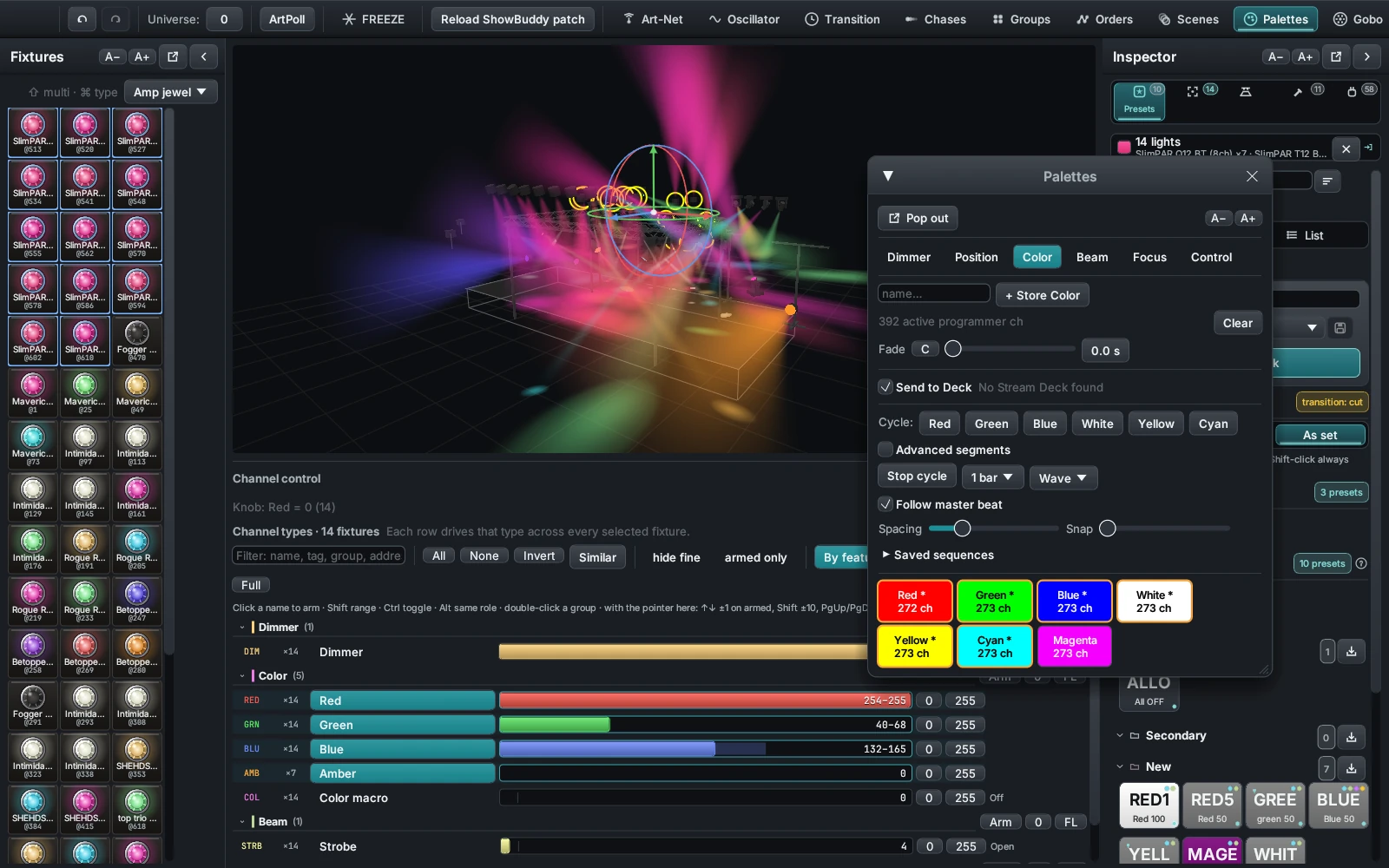
The DMXexpress Palettes window with stored colour palettes and a colour cycle running
Colour palettes are the easiest thing on this list to copy from a screenshot.
The DMXexpress Network window listing discovered Art-Net nodes and the output checklist
If output is your problem, post this window. The checklist usually names the fault already.
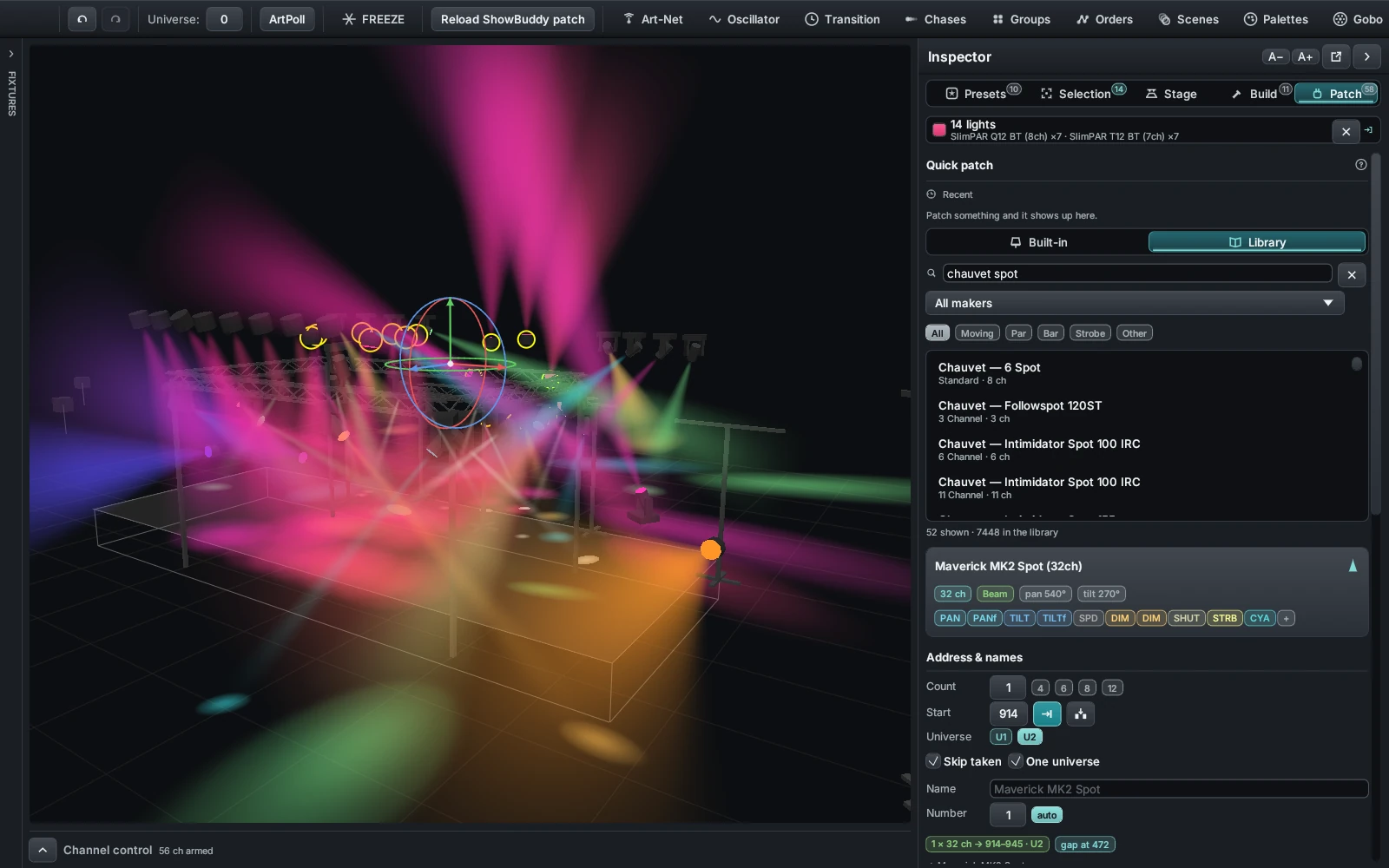
The DMXexpress Inspector on its Patch tab with fixture library search results, a preview card and the address plan
Patch questions answer themselves once the address plan is visible.